Five Ways to Put AI to Work in Your JD Edwards Apps, Without Exposing JD Edwards to AI
-
Posted by Quest Editor
- Last updated 11/02/26
- Share
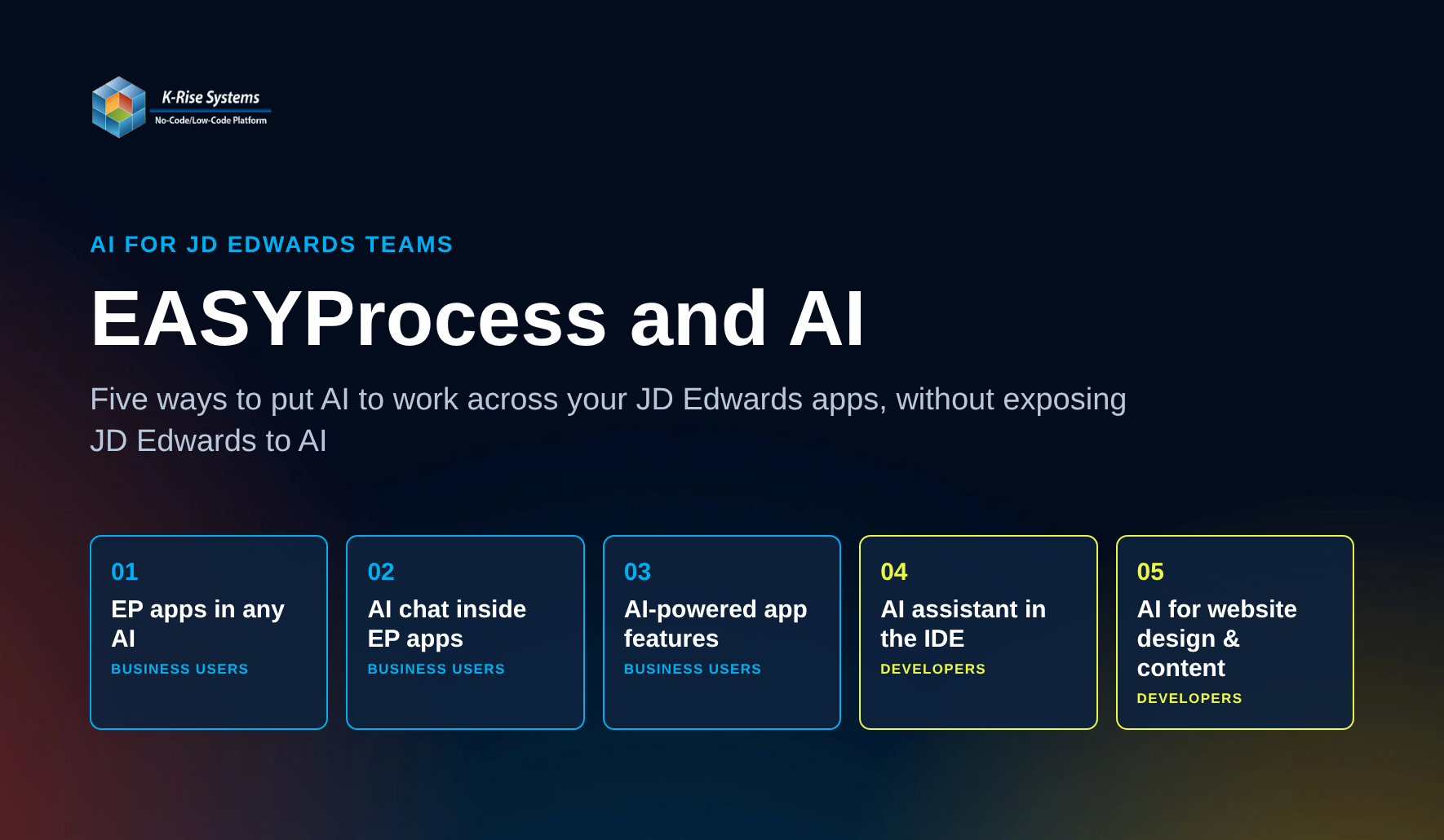
Five Ways to Put AI to Work in Your JD Edwards Apps, Without Exposing JD Edwards to AI
By Suman Prasad, Chief Technology Officer, K-Rise Systems
Every JD Edwards organization is being asked the same question right now: what is our AI plan? The answers usually stall on the same three concerns. Business users do not want another tool to learn. IT does not want an AI model anywhere near JD Edwards or the data behind it. And development teams are already stretched thin.
At K-Rise Systems, we have spent more than 20 years helping JD Edwards customers build apps on EASYProcess, our no-code/low-code application and integration platform. When we looked at how to bring AI into EASYProcess, we started from those three concerns. The result is five practical ways to put AI to work: three for the people who use apps, and two for the people who build them. All five rest on one principle: AI works through EASYProcess, under your control, and never touches JD Edwards directly.
For Business Users
1. Your EASYProcess apps, ready for any AI
Most JD Edwards users already spend part of their day in an AI assistant such as ChatGPT or Claude. The question is how to let that assistant use your business apps safely.
Every app built using EASYProcess is built on an MVC architecture. Each webpage is also exposed through an MVC REST interface. A PO Inquiry page, for example, can be reached with GET /MVCREST/POInquiry/ to list purchase orders, and with POST /MVCREST/POInquiry/Paging to page and filter the results. Where no webpage exists, or the requirement calls for it, developers can also build custom REST APIs in EASYProcess using GET, POST, PUT and DELETE.
The EASYProcess MCP server turns those pages and APIs into tools any AI assistant can use. MCP (Model Context Protocol) is the open standard that AI assistants use to connect to business systems. Users connect their AI of choice to their EASYProcess-built apps once, then work with their apps from the AI console they already know, without having to navigate away or open a separate window.
Picture a customer service agent on a call. The customer asks where their order is. Instead of switching screens, the agent asks their AI assistant for the status and tracking number of sales order 48213. The AI uses the EASYProcess MCP server behind the scenes, on the agent’s behalf, and the answer appears in the same conversation, with the same data, business rules and permissions that the service agent would encounter if they used the EASYProcess-built app.
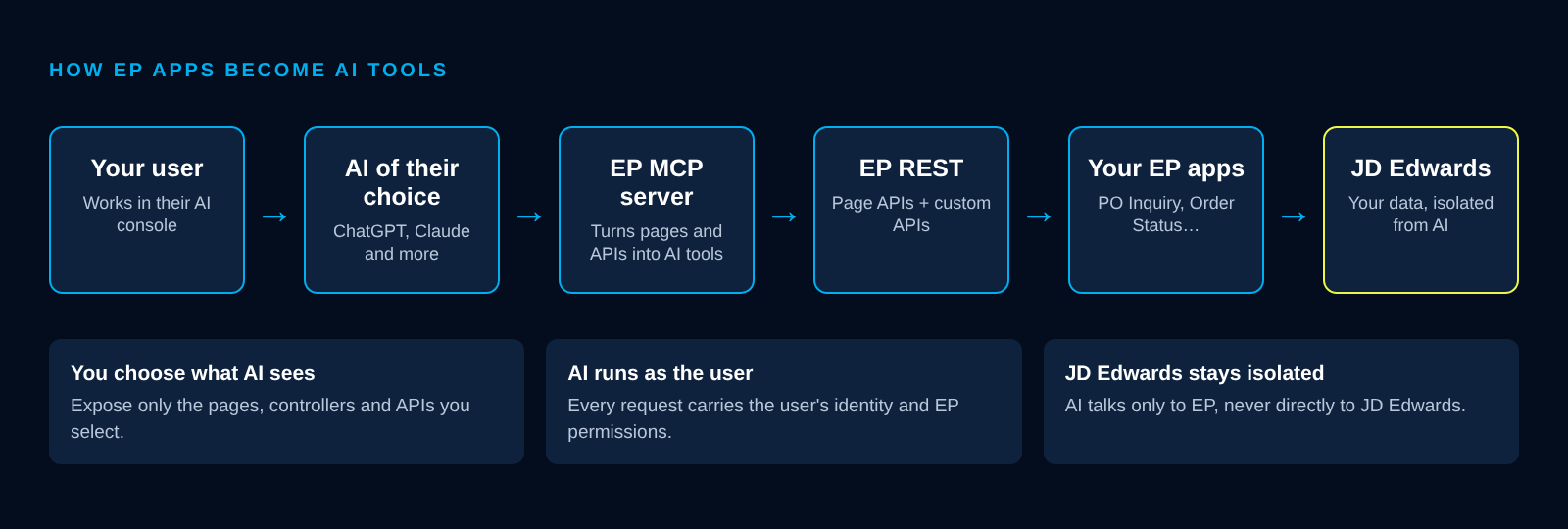
How EASYProcess apps become AI tools, with JD Edwards kept isolated.
You stay in control
Opening business apps to AI raises fair questions from IT. EASYProcess answers them by design:
- You choose what AI sees. Only the pages, controllers and APIs you select are exposed. Everything else stays invisible to AI.
- You describe it in your own words. Your descriptions of each API become the prompts the AI reads when it explores your MCP server, so it speaks your business language.
- Connect once, securely. Users sign in once with their existing EASYProcess-built application login. Whether signing in with a username and password through EASYProcess authentication or using single sign-on through an identity provider such as Microsoft 365 or Okta, company security policies such as MFA still apply.
- AI runs as the user. Every request carries the user’s identity, so AI sees only what that user is allowed to see.
- JD Edwards stays isolated. AI talks only to EASYProcess, never directly to JD Edwards or your databases. EASYProcess stands between AI and your enterprise data.
2. AI chat inside every EASYProcess-built app
The same MCP server also powers an AI chat panel inside your EASYProcess-built apps. One click on a button in the app header opens a chat panel on the left side of the screen, connected to the AI provider you choose, starting with ChatGPT and Claude.
A buyer in a Vendor Self Service app can simply ask, “How many vendors have not acknowledged POs for more than a week?” and get a list of vendors and open POs, ready for a reminder. The exposed pages, descriptions, and permissions from the first approach carry over automatically. In short, the first approach brings your apps to your AI; this one brings AI into your apps.
3. AI built into everyday business apps
Not every user wants to chat with AI. Most just want the work done, and the best AI is the kind they never have to think about.
With EASYProcess’s built-in tools, a developer adds AI prompts directly into a business process, and the AI becomes part of how the app works. There’s no separate AI product to learn, and nothing new for the end user to open.
Accounts payable is a good example. AI reads and processes incoming invoices as part of the normal workflow. Invoices never arrive in one clean format, though, because every vendor does things a little differently. Instead of opening a change request for each exception, the people who work with those invoices add their own prompts to handle vendor-specific variations, in plain language, in their own words. The people closest to the work shape how the AI behaves, and the app keeps improving without waiting on development.
Invoices are just one example. The same approach works anywhere a process involves documents or messy, inconsistent inputs. The developer builds the AI feature once, and end users get the benefit and the control, without needing to learn how to use AI.
For Developers
4. Build EASYProcess apps with AI
EASYProcess separates run time, where users work with apps, from design time, where apps get built. The first three approaches cover run time. The fourth brings AI to design time through an MCP server for the EASYProcess IDE, and it covers the full development cycle in three steps:
- Build Functions. You build EASYProcess Functions, your business logic, with AI helping through the IDE MCP tools.
- Expose them as REST APIs. Each Function becomes a REST API. AI helps you find every API and its contract through MCP, so you know exactly how to call it.
- Build dynamic pages. You design the page with AI at your side. Describe what you need, and AI helps you write the HTML and JavaScript, with the JavaScript calling your REST APIs for its data.
AI is used while the app is being built, not while it runs. Once live, the result is a normal EASYProcess page calling EASYProcess REST APIs, with the same login and permissions as any other EASYProcess app, and no AI cost each time someone opens it. There is no training required: any developer can start building with EASYProcess on day one.
This is built to be safe:
- Development only. The IDE MCP server connects only to the Development (DV) environment. Production is never touched directly.
- Normal promotion. Changes reach QA and Production only through standard EASYProcess IDE promotion, reviewed by your team.
- Isolated by design. EASYProcess is fully database-driven, so AI access to DV gives no access to any other environment.
5. An AI assistant built into the EASYProcess IDE
EASYProcess developers get an AI chatbot right inside the IDE, opened from the canvas where they build. They can ask how to add a filter to a page or wire up a controller and get step-by-step guidance in context. There is no separate training required, so current teams move faster and new developers get productive from day one.
One Platform, AI Everywhere
Taken together, these five approaches cover both sides of the business: the people who use apps and the people who build them. Your AI strategy for JD Edwards does not have to start with a risky integration project. It can start with the EASYProcess apps you already run, with clear controls over what AI sees, who it acts as, and what it can change.
Want to see it in action? Join K-Rise Systems for our Quest Oracle Community webinar, The Future of EASYProcess: Five Ways We’re Bringing AI to Your JD Edwards Apps, on Wednesday, November 11th at 1:00pm CT / 2:00pm ET.
Register now to see how AI is expanding what you can build with EASYProcess and JD Edwards. Can’t attend live? Request a recording.